Office Address
Doctors Tower, Building D, 9th floor, Tanta, Egypt.
Phone Number
+20 10 80510517
Email Address
devetechno@gmail.com
Doctors Tower, Building D, 9th floor, Tanta, Egypt.
+20 10 80510517
devetechno@gmail.com
 by Abdelsalam Elgohary
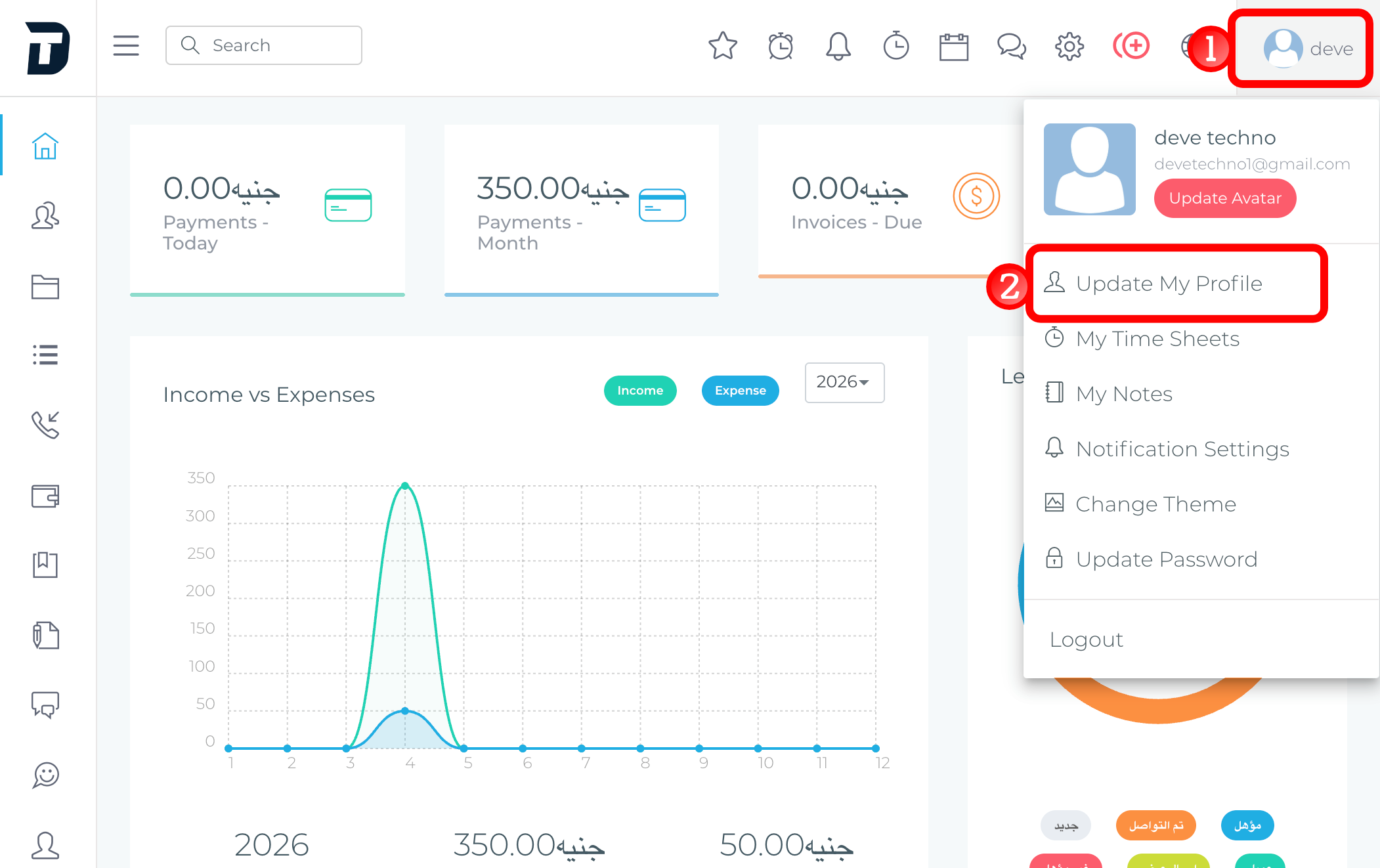
To update your user profile, follow the steps shown below
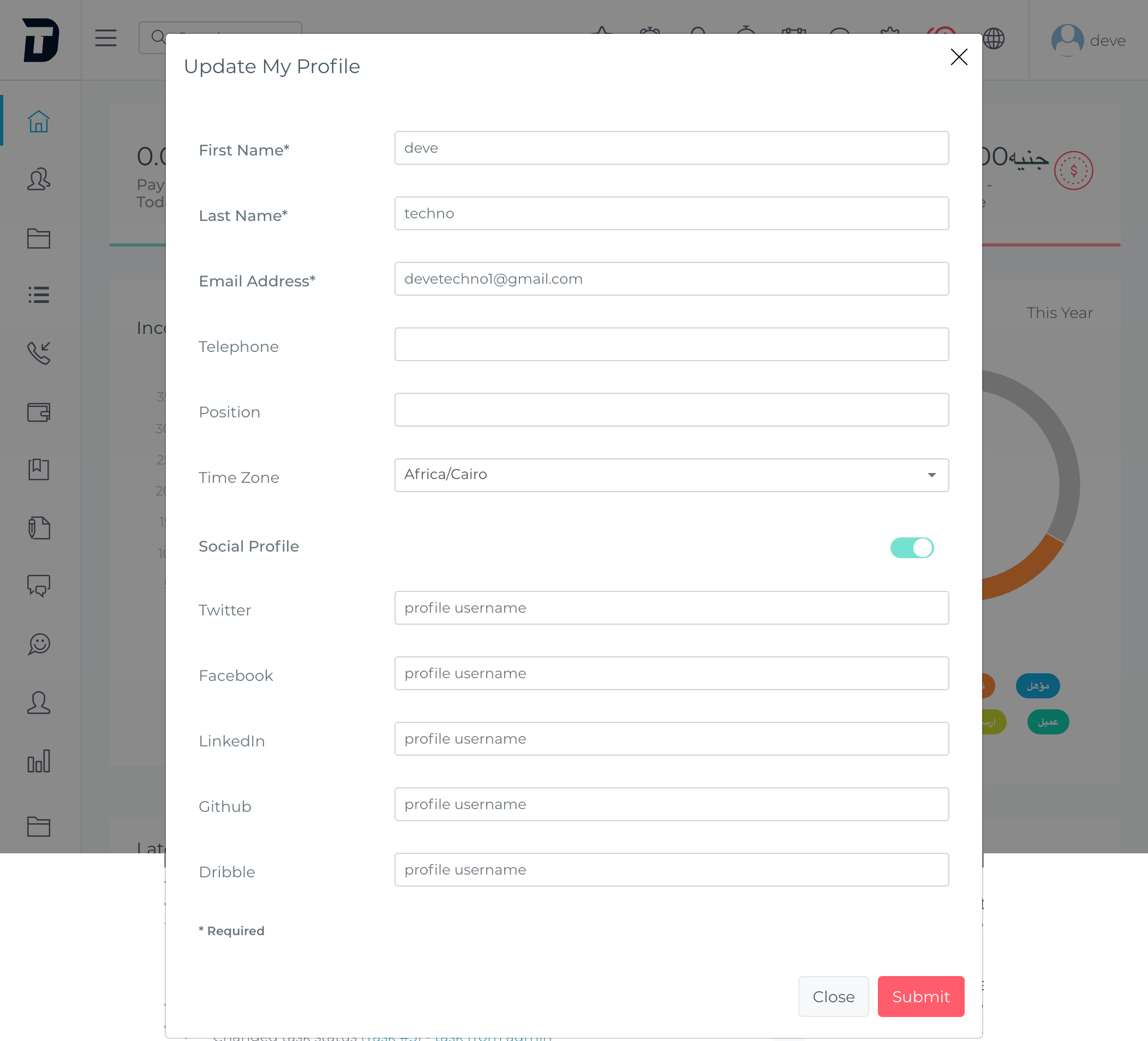
The image shows a modal window titled “Update My Profile” inside a CRM dashboard.
It is used to edit the user’s profile information.
The modal contains these sections and fields:
Basic Profile Information
Social Profile Section
At the bottom, there is a note:
* Required
This means fields marked with an asterisk are mandatory.
The modal also includes two action buttons:
The dashboard behind the modal is dimmed, which indicates that the modal is currently active.